

Bank Statements Import
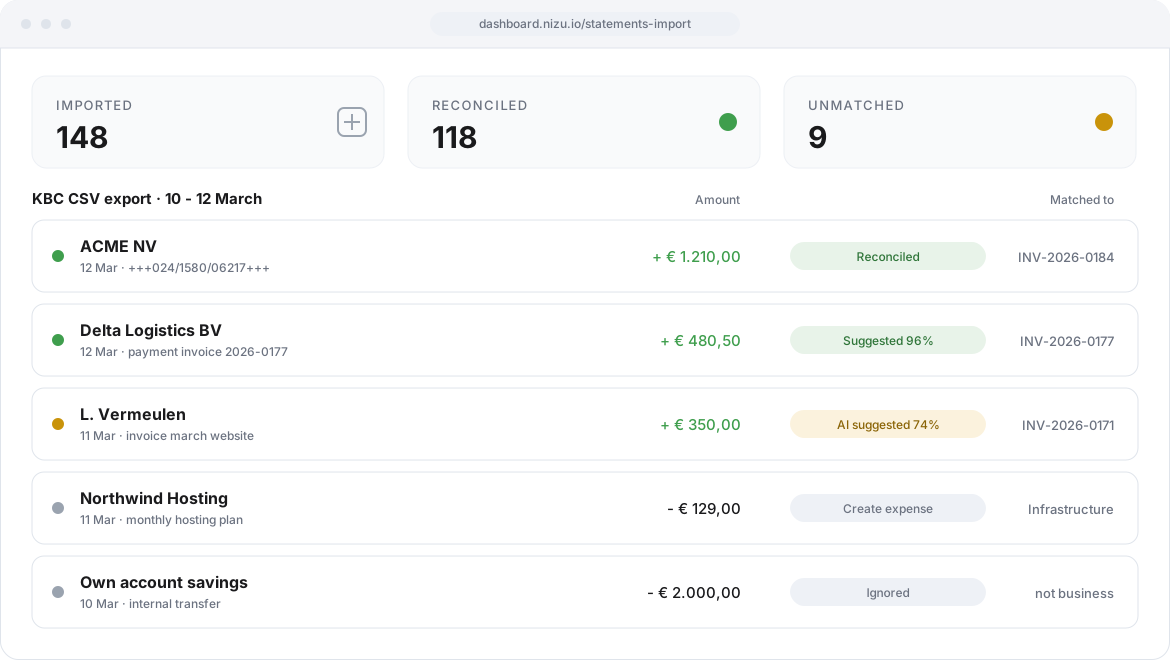
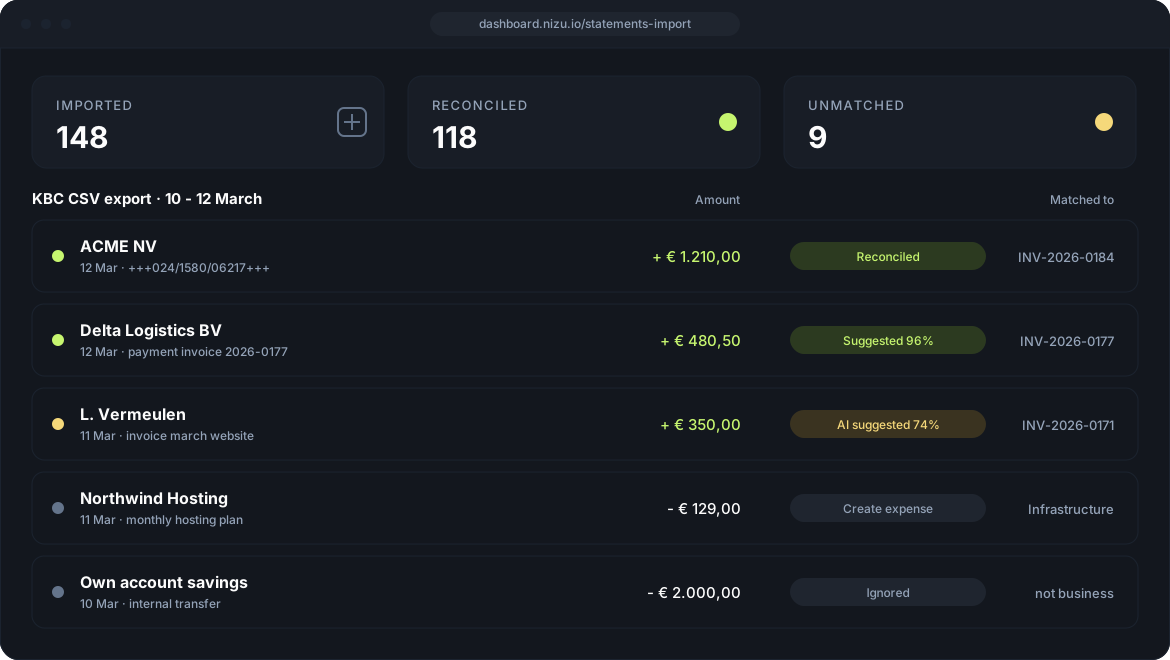
Upload the CSV, TSV or XLSX file your bank exports and let NIZU reconcile it. Incoming transactions are matched to your open invoices, outgoing ones become expenses, and every match you confirm writes a real payment record in your workspace.

Features
Build a map template once per bank and every import after that is a single click. The engine reads the payment communication, checks it against the amount outstanding and scores each suggestion, so you approve matches instead of typing them.
A map template per bank
Describe your bank export once — format, delimiter, encoding, date format and which column holds what — then reuse that template for every statement you upload. CSV, TSV and XLSX are supported.
Matching that reads the communication
The engine recognises Belgian structured communications (OGM/VCS) and pulls invoice numbers out of free-text descriptions, then confirms the match against the amount outstanding.
Confidence score and auto-confirm
Every suggestion carries a confidence score. Review them all at first, then raise the auto-confirm threshold so the certain matches reconcile on their own and only the rest reach you.
Optional AI reconciliation
For the human-worded payments the rules miss, enable AI matching with your own OpenAI, Anthropic Claude, Grok or DeepSeek key. The model only picks from your open invoices, never creates one, and its suggestions still wait for your approval.
Money out becomes an expense
Turn a debit into a NIZU expense in one step, pre-filled with the amount, date, counterparty and communication. Set a default category once and it is already selected.
Safe to re-import, safe to undo
Every line is fingerprinted, so overlapping date ranges never create duplicate payments. Reconciled the wrong invoice? Reverse it: the payment is removed and the invoice status refreshed, leaving a clean audit trail.

Connected Apps
Invoices
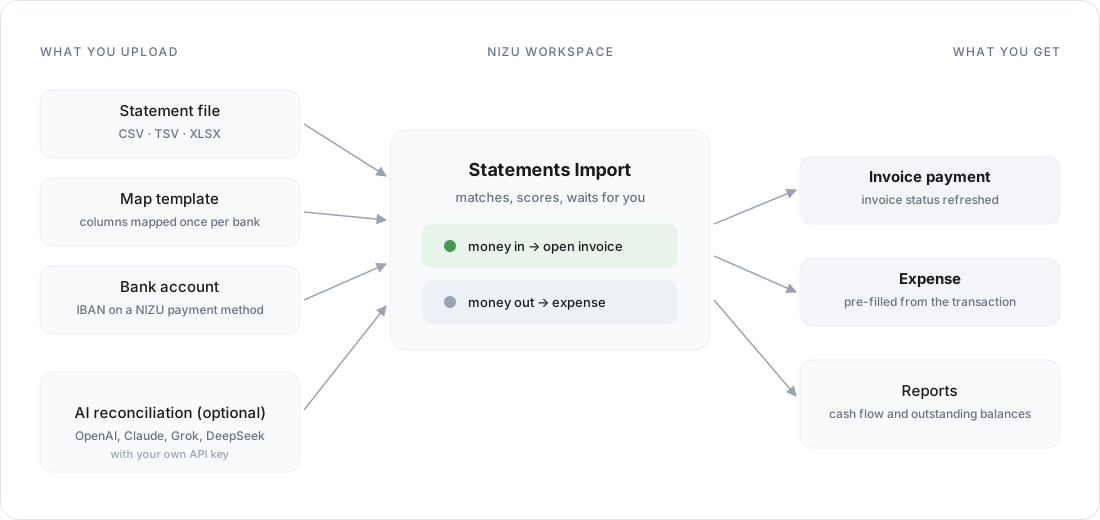
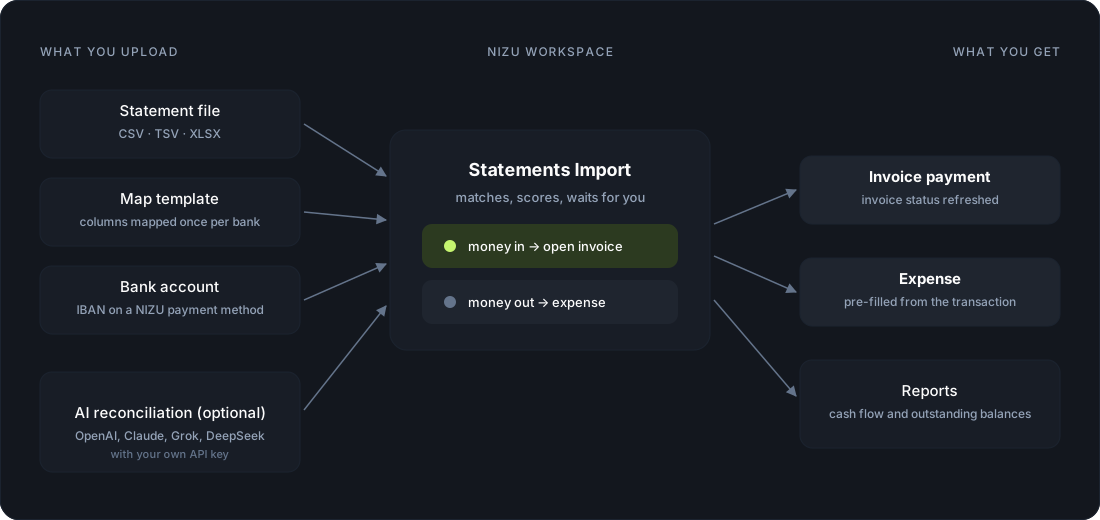
How is connected: Money received reconciles against your open invoices. Confirming a match creates a real invoice payment and refreshes the invoice status, exactly as if you had entered it by hand.
appPayments
How is connected: Each bank account is a NIZU payment method, tied to its IBAN, so reconciled income stays traceable to the exact account it landed in.
appNo App works alone
Statements Import never keeps its own copy of your financial data — it reconciles against the records you already have:
-
CSV, TSV and XLSX exports, mapped with a template you reuse
-
Every bank account tied to a NIZU payment method by its IBAN
-
Structured communication, invoice number and amount matching
-
Optional AI matching with your own provider key
-
The reconcile permission limited to the staff you trust
Expenses
How is connected: Debits reconcile against Expenses. The expense created from a transaction is a normal NIZU expense you can still edit: provider, project, tax, billable.
appAI Reports
How is connected: Reconciled payments are ordinary records, so cash flow, income and outstanding balances reflect your bank activity the moment you confirm a match.
app